

Equipment Tracking Built for Field Service
Know Where Every Asset Is and What Shape It's In
In every field service business, equipment represents both a major investment and an essential resource. Losing track of tools or skipping maintenance can slow jobs, frustrate customers, and raise costs. Optsy’s equipment and asset tracking software helps you maintain total visibility across every location, truck, and technician, keeping your operation efficient and compliant.
Optsy automates how assets are monitored, maintained, and assigned. You’ll always know which technician has which tool, where it’s located, and whether it’s ready for use. Technicians can view and update equipment records from their mobile app, while updates sync automatically to the office. This automation prevents misplaced tools, ensures timely maintenance, and eliminates the manual paperwork that slows teams down.
With proactive tracking, automated maintenance alerts, and seamless integration into scheduling, inventory, and billing, Optsy keeps your field service business running smoothly. The result is fewer delays, lower costs, longer equipment life, and greater customer satisfaction.
What's Included in Optsy's Equipment Tracking Software
These are the tools teams use to keep assets accounted for and running. Everything works from the same equipment record, so a technician’s update in the field shows up in the office right away.
Real-Time Asset Location
Know whether a unit is sitting in the warehouse, riding in a truck, or installed at a customer site. Location updates as equipment moves, so nobody loses an afternoon calling around to find out who has what.
Product Information & Equipment Details
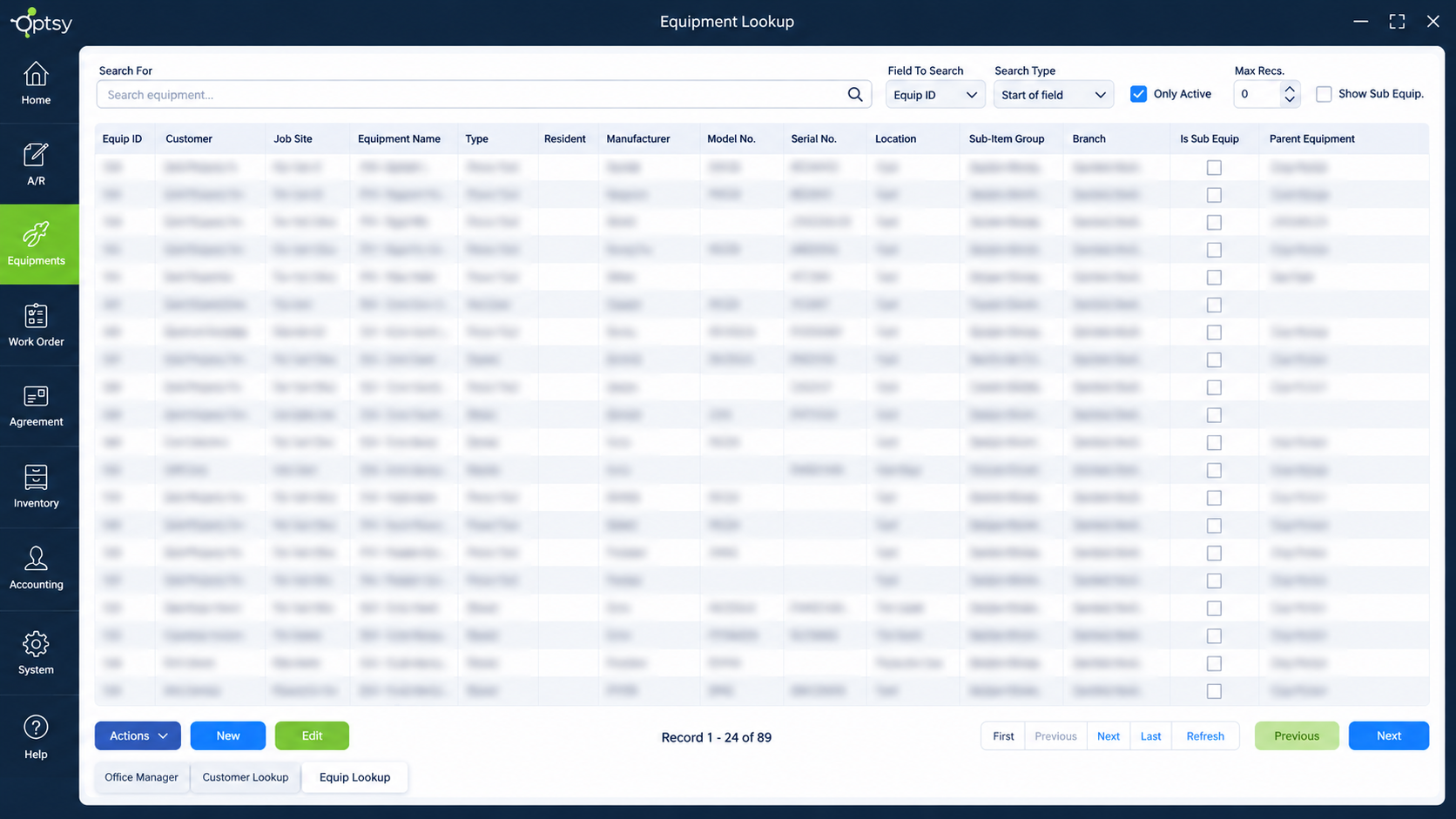
Serial numbers, model numbers, specifications, purchase dates, and warranty terms live on the asset record. Technicians pull up exactly what they’re working on instead of guessing from a photo or a customer’s description.
Maintenance Scheduling & Alerts
Set service intervals by calendar date, usage hours, or run-time, and Optsy generates the reminder when a unit comes due. Preventive maintenance gets scheduled before a failure instead of after one.
Repair History & Service Records
Every repair, part replaced, and hour logged stays attached to the asset. When a unit starts costing more to maintain than it returns, the history makes that clear instead of leaving it to guesswork.
Mobile Access & Field Updates
Technicians look up equipment, review past work, and log what they did from the mobile app while standing in front of the unit. No paper forms, and no re-entering notes back at the office.
Automated Data Sync
Updates made in the field appear in the office immediately, and changes made in the office reach technicians the same way. One record, one version, nothing to reconcile at the end of the week.
Compliance & Safety Management
Inspection dates, safety checks, and certification records stay on the asset with a timestamped history. When an audit comes, the documentation is already organized instead of scattered across binders and email.
Integration With Your Other Tools
Equipment data flows into QuickBooks for asset accounting and depreciation, and Optsy’s API connects tracking data with the other systems your business runs on.
How Equipment Tracking Works With the Rest of Optsy
Equipment records aren’t a separate database. They feed the schedule, the work order, the invoice, and the report, so your team sees asset history at the moment they need it.
Scheduling & Dispatching
Dispatchers see equipment history before assigning work through scheduling and dispatching, so the technician sent to a failing unit already knows what was done last time. Jobs that need a specific certification or tool can be routed to whoever has both.
Mobile Field Service App
Technicians look up specifications, warranty status, and past repairs from the mobile app while standing in front of the equipment, then log the work on the spot. Nothing waits for someone to type it up later.
Work Order Management
Every work order management ties to the specific asset serviced, building a complete history per unit instead of a pile of unconnected job records. Months later you can pull up one piece of equipment and see everything that ever happened to it.
Inventory Management
Parts pulled for a repair draw down inventory management automatically, and the part used gets recorded against the asset. Over time you can see what each unit consumes, which sharpens both stocking and replacement decisions.
Service Agreements
Equipment under contract connects to service agreements, so covered maintenance is scheduled automatically and nothing covered gets billed by mistake. Renewals come up with the equipment history already attached.
Quickbooks Intergration
Equipment purchases, repair costs, and depreciation flow into QuickBooks, keeping asset accounting accurate without duplicate entry. Your books reflect what the field actually did.
API Capability
For equipment data that needs to reach beyond Optsy, API capability connects asset records with ERP systems, procurement platforms, or manufacturer portals. Serial numbers, service histories, and warranty details can flow both directions, so the systems your business already runs on stay current without anyone re-keying data.
Customer Records
Assets installed at a customer site stay attached to their customer record, giving your team the full equipment picture for that account before every visit. Anyone who picks up the phone can see what’s on the property.
Reporting & Analytics
Asset data feeds reporting software on maintenance costs, failure patterns, and equipment utilization. Replace-or-repair decisions come from numbers rather than instinct, and you can spot the units quietly draining your margin.
How Equipment Tracking Helps Your Industry
Every trade tracks different assets and answers to different standards. Here’s what equipment tracking looks like across the trades Optsy serves.
HVAC Software
Refrigerant handling and preventive maintenance schedules make tracking a compliance matter in heating and cooling, not just an efficiency one, so HVAC software has to log unit models, refrigerant usage, and service intervals per installation. Optsy logs unit models, refrigerant usage, and service intervals per installation, so technicians arrive knowing the equipment history and seasonal tune-ups never slip.
Plumbing Software
Water heaters, pumps, backflow preventers, and specialty tools all need tracking, and plumbing software from Optsy keeps model numbers, install dates, and warranty terms on every unit. Nobody has to guess at a water heater’s age or whether it’s still under warranty.
Electrical Contractor Software
Meters, testers, and specialty equipment represent real money in the truck, so electrical contractor software tracks tool assignments alongside calibration and inspection records. Job-site equipment stays accounted for across multi-phase projects.
Refrigeration Software
Compressors, condensers, and temperature-critical systems demand documented maintenance, and refrigeration software keeps service logs, compliance records, and equipment histories tied to each unit. When a health inspector asks, the documentation is ready.
Roofing Software
Ladders, lifts, safety harnesses, and compressors move between job sites constantly, so roofing software keeps a record of where each item is and when it was last inspected. Safety equipment stays certified and nothing gets left on a completed site.
Alarm & Security Software
Panels, sensors, cameras, and monitoring devices each carry their own warranty and firmware history, and alarm and security software keeps that detail per customer site. Alarm system service calls start with the device inventory, install dates, and monitoring contract for that address.hat’s installed before a service visit.
Computer & IT Service Software
Device inventories, license terms, and warranty windows are the assets in IT work, so computer and IT service software tracks hardware per client site with full support history. License renewals and end-of-warranty dates surface before they turn into an outage.
Handyman Software
Tools and equipment move between jobs constantly in general repair, so handyman software shows what’s on which truck and when each item was last serviced. Nothing gets left behind at a job site unnoticed.
Pool Service Software
Pumps, heaters, filters, and chlorinators each have their own service intervals, so pool service software tracks equipment per property with model numbers and warranty status. A pump that fails mid-season gets replaced with the right model the first time.
Landscaping Software
Mowers, blowers, trailers, and seasonal equipment need hour-based maintenance to survive the season, so landscaping software logs usage hours and schedules service before something breaks down mid-route.