


Software Shaped Around How You Work
Task Management Built for Field Service
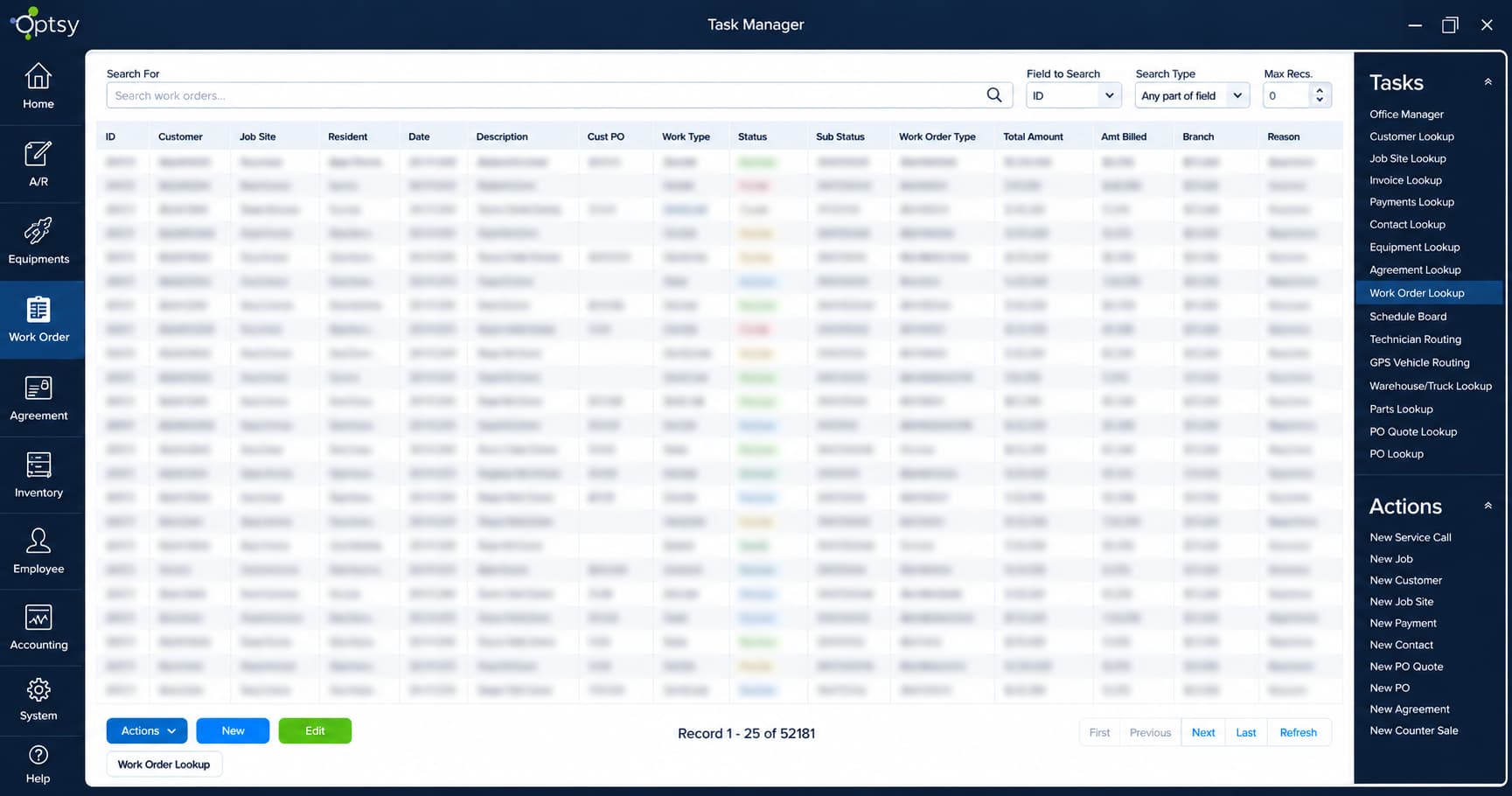
Running a field service business means juggling schedules, customer calls, job updates, paperwork, and technician coordination. Without a reliable system, it is easy for follow-ups, internal tasks, and even critical job steps to get lost in the shuffle. Optsy’s field service task management software brings order to that by giving your entire team one place to create, assign, track, and complete every task, whether it happens on site at a customer’s property or inside the office. A task can be anything: calling a customer, ordering a part, preparing paperwork, scheduling a follow-up visit, performing a safety check, or completing a repair.
Technicians and office staff create tasks, add notes, set due dates, and receive reminders that keep them on track through the day. Internal office tasks like “call customer for approval,” “send warranty reminder,” or “prepare renewal paperwork” are fully supported and tie directly to customer accounts, service agreements, work orders, and scheduling. Technician tasks track time, materials, and progress, and each update reaches the office instantly. Because the system is straightforward to use, your team works faster without extra training.
What’s Included in Optsy’s Task Management Software
A task list only works if the whole team lives in it. These are the pieces that make that happen, for the people in trucks and the people at desks.
Task Creation for Anything
Create a task for any piece of work, from a safety check to a phone call. Field work and office work share one system, so a follow-up call is tracked as carefully as a repair.
Assignment & Reassignment
Assign tasks to individuals or roles, and reassign them when the day changes. Dispatchers see progress in real time and move responsibility without anyone losing the thread.
Due Dates & Reminders
Set a due date and Optsy sends the reminder. Work that depends on somebody remembering it is work that eventually gets missed, and a dated task removes that risk.
Linked Records
Every task connects to the customer account, work order, service agreement, or piece of equipment it belongs to, so whoever picks it up has the full context without asking.
Mobile Task Management
Technicians receive assigned tasks on their phones, update status, capture photos, add notes, mark items complete, and track time from the field. The office sees progress as it happens.
Recurring Tasks
Tasks that repeat on a schedule, whether tied to a contract or to internal routine, generate themselves rather than needing someone to recreate the list each cycle.
Performance Visibility
Task completion ties to employee records, so managers can review productivity, completion times, performance trends, and where additional training would help.
Time & Material Tracking
Technician tasks record time spent and materials used as the work is done, which feeds both accurate billing and an honest picture of how long jobs actually take.
How Task Management Works With the Rest of Optsy
Tasks are not a separate to-do list someone maintains. They are generated by the work already moving through Optsy, and closing one moves the next thing forward.
Scheduling & Dispatching
When a job is booked through scheduling and dispatching, Optsy generates the tasks needed to complete it: preparation steps, inspections, follow-ups, and on-site checklists. Dispatchers see progress in real time and reassign responsibilities instantly.
Work Order Management
Tasks are the steps inside a job, while work order management holds the job itself. Each task closes against its work order, so the job record shows what was actually done rather than just that someone marked it finished.
Inventory Management
If a job requires parts, Optsy creates tasks for the office or warehouse to reserve, pick, or order materials through inventory management. When technicians use parts in the field, stock updates and the associated task closes without manual entry.
Service Agreements
Recurring maintenance visits under service agreements generate recurring tasks. Filters, batteries, inspections, and contract obligations are scheduled on their own, so no service commitment is overlooked.
Mobile Field Service App
Technicians receive every assigned task in the mobile app, update statuses, capture photos, add notes, and track time from the field. The office sees progress instantly, which keeps the day aligned.
Equipment Tracking
Tasks tied to a specific unit through equipment tracking build a step-by-step maintenance record per asset. Temperature checks, filter changes, and inspections stay attached to the equipment they were performed on.
CRM & Customer Records
Internal tasks like approval calls and renewal paperwork attach to the account in your field service CRM, so the next person to speak with that customer knows what is outstanding.
Employee & Technician Management
Task performance ties to employee records through employee and technician management. Managers review productivity, completion times, performance trends, and training needs from one place.
Reporting & Analytics
Completion rates, task durations, and recurring bottlenecks feed reporting software, so a step that stalls on every job shows up as a pattern rather than a complaint.
Invoicing & QuickBooks
Once all job tasks are complete, Optsy triggers invoicing, updates material usage, and syncs time entries into QuickBooks. This removes double entry and keeps billing accurate.
Customization
Task types, checklists, and required fields are configured around your workflows through customizable FSM software, so the steps match how your trade actually runs a job.
API Capability
For task data that needs to reach other systems, API capability connects Optsy with the project, ticketing, or ERP platforms your business already uses.
How Task Management Helps Your Industry
A job is a sequence of steps, and the sequence is different in every trade. Diagnostics, compliance checks, permits, staging, and customer follow-ups each have to happen in order and get documented. Here is how Optsy handles them.
HVAC Software
Most calls are multi-step: diagnostics, refrigerant logging, filter replacement, tune-ups, inspections, warranty service. Structured task lists in Optsy’s HVAC software give technicians the sequence and give the office its own follow-ups for quoting, ordering parts, and booking the next visit, so no maintenance item is missed.
Plumbing Software
Precision and fast response matter more here than anywhere. Leak detection, water heater service, valve replacements, drain clearing, and emergency repairs each get their own task list in Optsy’s plumbing software, while office staff handle fitting orders, return visits, and record updates in the same system.
Electrical Contractor Software
Inspections, wiring, panel work, testing, and documentation all have to happen in sequence and be recorded. Optsy’s electrical contractor software assigns each step as its own task linked to the right job or asset, with internal tasks covering part ordering, compliance paperwork, and permitting.
Refrigeration Software
Strict maintenance and compliance define the trade. Temperature checks, compressor upkeep, fan replacements, seal inspections, and preventive visits are tracked as tasks in Optsy’s refrigeration software, each tied to the equipment record for the unit it was performed on.
Roofing Software
A roof is a project, not a call: staging, tear-down, installation, sealing, inspection, cleanup, follow-up. Optsy’s roofing software keeps crews aligned on the sequence while office staff manage material ordering, weather checks, and customer communication alongside it.
Alarm & Security Software
System testing, sensor replacement, wiring, firmware updates, battery checks, and compliance documentation all have to be completed and recorded. Tasks in Optsy’s alarm and security software make sure no step is skipped and every renewal happens on time.
Computer & IT Service Software
Troubleshooting, installations, updates, hardware replacement, diagnostics, network testing, and account verification stack up fast across client sites. Optsy’s computer and IT service software keeps internal and field tasks organized and linked to the ticket they belong to.
Handyman Software
One day might hold six unrelated jobs across four trades. Optsy’s handyman software breaks each into its own task list with the materials and steps that job needs, so a drywall repair and a door rehang do not run off the same generic checklist.
Pool Service Software
Every stop on a route is the same set of steps, which is exactly why one gets skipped. Optsy’s pool service software issues the chemical readings, equipment checks, and cleaning steps as tasks at each stop, so the record is complete whoever ran the route.
Landscaping Software
Crews work from a property list, not a job ticket. Optsy’s landscaping software assigns tasks per property and per crew, covering the services due that visit, with seasonal work like cleanups and snow removal carrying its own steps.