


Complete CRM Built for Field Service Businesses
CRM Software That Reduces Errors & Increases Profits For Field Service Businesses
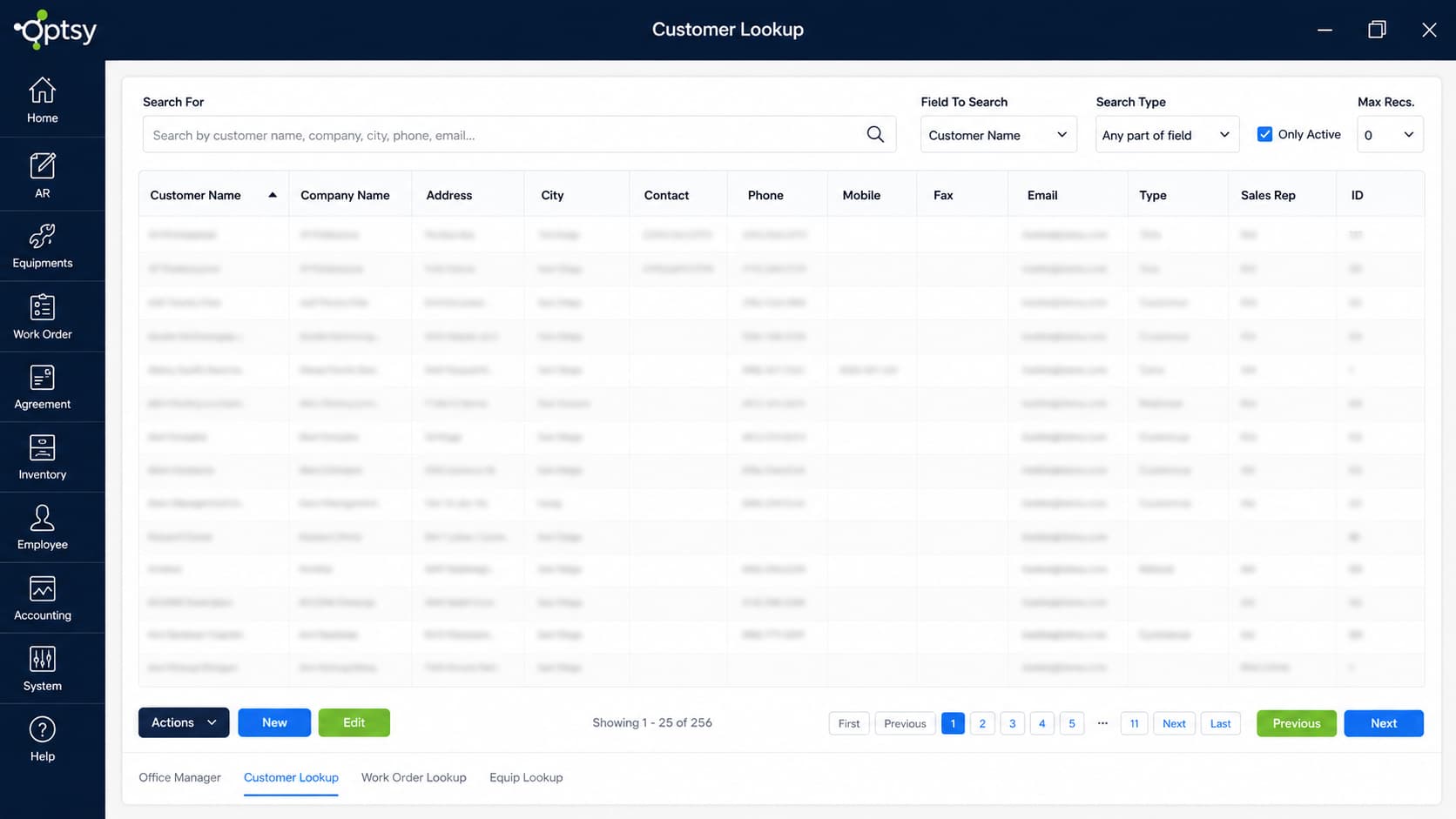
Running a field service business requires keeping track of customers, equipment, job history, invoices, agreements, and communication, all while managing a busy team in the field. Optsy’s CRM brings everything together in one seamless system, giving your office staff and technicians instant access to the information they need to deliver better service with less effort. Every customer profile contains contact details, job history, installed equipment, photos, agreements, notes, invoices, estimates, and payment records, updated in real time for the entire team. Instead of switching between systems, your business operates on one connected platform that manages every customer relationship from the initial call to the completed job.
Optsy’s CRM integrates directly with scheduling, dispatching, routing, inventory management, equipment tracking, invoicing, QuickBooks, reporting, and the mobile field app. This allows your workflow to stay consistent and accurate, with every update, approval, and job detail automatically tied to the right customer account without manual data entry.
What’s Included in Optsy Field Service CRM
Optsy builds a complete record for every customer, including contact details, job histories, equipment lists, service agreements, quotes, invoices, payments, and communication logs. When a technician arrives on-site, they can instantly see every past issue, recommended follow-up, and equipment that needs future attention.
Customer Profiles & Service History
Keep complete customer records in one place, including contact information, service locations, job history, equipment, service agreements, quotes, invoices, payments, and communication notes. Your team can quickly review previous work, recommended follow-ups, and important account details before the next service call.
Customer Portal
Give customers a convenient way to request appointments and view their service history through a secure customer portal. This helps reduce routine phone calls, makes scheduling easier, and keeps service moving without unnecessary office involvement.
Automated Communication & Workflows
Automate everyday customer communication and follow-up tasks with reminders, notifications, and workflow alerts. Optsy can help your team stay on top of appointments, renewals, overdue invoices, incomplete tasks, required follow-ups, and upcoming service needs.
Mobile CRM Access for Field Technicians
Give technicians access to customer history, job notes, equipment details, warranty information, photos, and approved estimates directly from the field. Technicians can also update records, capture signatures, attach photos, and create invoices while they are on site.
API & Quickbooks Intergration
Connect Optsy CRM with QuickBooks and other business software to help customer, financial, and operational information move between systems more efficiently. Optsy’s API capabilities can also support connections with other tools your business relies on, helping reduce duplicate data entry and keep records more consistent.
Field Service Reporting & Dashboards
Use real-time reporting and dashboards to track technician performance, customer activity, recurring revenue, open tasks, and financial metrics. With current information in one connected system, managers can make more informed decisions about customers and field service operations.
How The CRM Connects With Your Field Service Operations
Optsy CRM connects customer information with the tools your office staff and technicians use every day. Instead of keeping customer records separate from scheduling, work orders, equipment, billing, and other workflows, Optsy keeps important information connected across the field service management platform.
Scheduling & Dispatching
Optsy CRM connects with Scheduling & Dispatching so dispatchers can access customer details, service locations, job history, and important notes while scheduling and assigning technicians. This added customer context helps your team prepare for each service call and provide a more consistent experience.
Mobile Field Service App
The Mobile Field Service App gives technicians access to CRM information from the field, including customer details, service history, notes, equipment records, and job information. Technicians can review important customer context and update service records while they are on site.
Work Order Management
Connect CRM information directly with Work Order Management to build a complete customer service history over time. Your team can review completed jobs, services performed, notes, parts used, and other work order details as part of the customer record.
Inventory Management
Optsy CRM works with Inventory Management to connect the parts and materials used during customer jobs with work orders and service activity. This helps your team maintain accurate inventory information while creating a clearer record of the materials used for each customer.
Equipment Tracking
With Equipment Tracking, customer equipment and asset information stays connected to the correct account and service location. Your team can quickly review equipment details, maintenance history, warranty information, and previous service when working with each customer.
Service Agreements
Connect customer records with Service Agreement Contracts to manage recurring services, contract details, scheduled visits, and renewals. Keeping agreement information tied to the CRM helps your team manage the ongoing customer relationship more effectively.
Quickbooks Intergrations
Optsy’s QuickBooks Integration connects customer, job, and financial information with your accounting workflows. This helps reduce duplicate data entry and keeps financial information connected with your field service operations.
API Capability
Use Optsy’s API Capability to connect CRM data with other business applications your company relies on. API integrations can help customer and operational information move between Optsy and other CRM, ERP, accounting, inventory, or specialized software.
How Field Service Management Helps Your Industry
HVAC Software
HVAC companies use the CRM to store every unit’s model, install date, refrigerant usage, maintenance history, and warranty details. When a technician arrives, they already know the system and past issues, so repairs are faster, and fewer visits are needed. Recurring maintenance contracts get tracked, and you can schedule seasonal tune-ups automatically.
Plumbing Software
For plumbers, the CRM organizes past leaks, fixture specs, water‐heater installs, and emergency call details. When a customer calls, your team quickly sees what’s been done, what parts were used, and what may need attention next, leading to faster service and higher trust.
Electrical Contractor Software
Electrical contractors benefit from having panel details, wiring diagrams, inspection records, and change orders all in one place. The CRM tracks both small repair calls and large multi‐phase projects, ensuring nothing is missed and billing is accurate.
Refrigeration Software
In refrigeration service, the CRM helps track temperature logs, compressor history, and preventive maintenance intervals. Knowing exactly what equipment is installed and when it was last serviced means you stay ahead of failures and meet compliance more easily.
Roofing Software
For a Roofing business, log every property’s measurement, material type, past repair photos, warranties, and storm‐damage history. Technicians arrive ready, inspections and follow-ups are streamlined, and renewal contracts or recurring maintenance are handled with ease.
Alarm & Security Software
With alarm & security services, the CRM records installed sensors, control panel information, firmware updates, monitoring contracts, and service logs. Having that level of detail improves response times, ensures accurate billing, and builds long-term customer loyalty.
Computer & IT Service Software
For Computer & IT service companies, the CRM stores hardware inventories, software licenses, device histories, network diagrams, and service contracts. Technicians arrive already knowing the setup, past work, and upcoming needs, delivering smoother, faster service to business and home clients alike.
Handyman Software
Keep customer details, job history, quotes, notes, payments, and follow-ups organized with Optsy’s Handyman Software. A connected field service CRM makes it easier to understand each customer’s history, manage repeat jobs, and give technicians the information they need before arriving on site.
Pool Service Software
Build stronger ongoing customer relationships with Optsy’s Pool Service Software. Keep customer details, pool equipment, service history, recurring visits, agreements, billing information, and notes connected so your team has a complete view of every pool service account.
Landscaping Software
Manage customer relationships, property details, recurring services, job history, notes, and follow-ups with Optsy’s Landscaping Software. Keeping this information connected in your field service CRM helps your team stay organized across seasonal work, repeat visits, and customers with multiple service locations.