
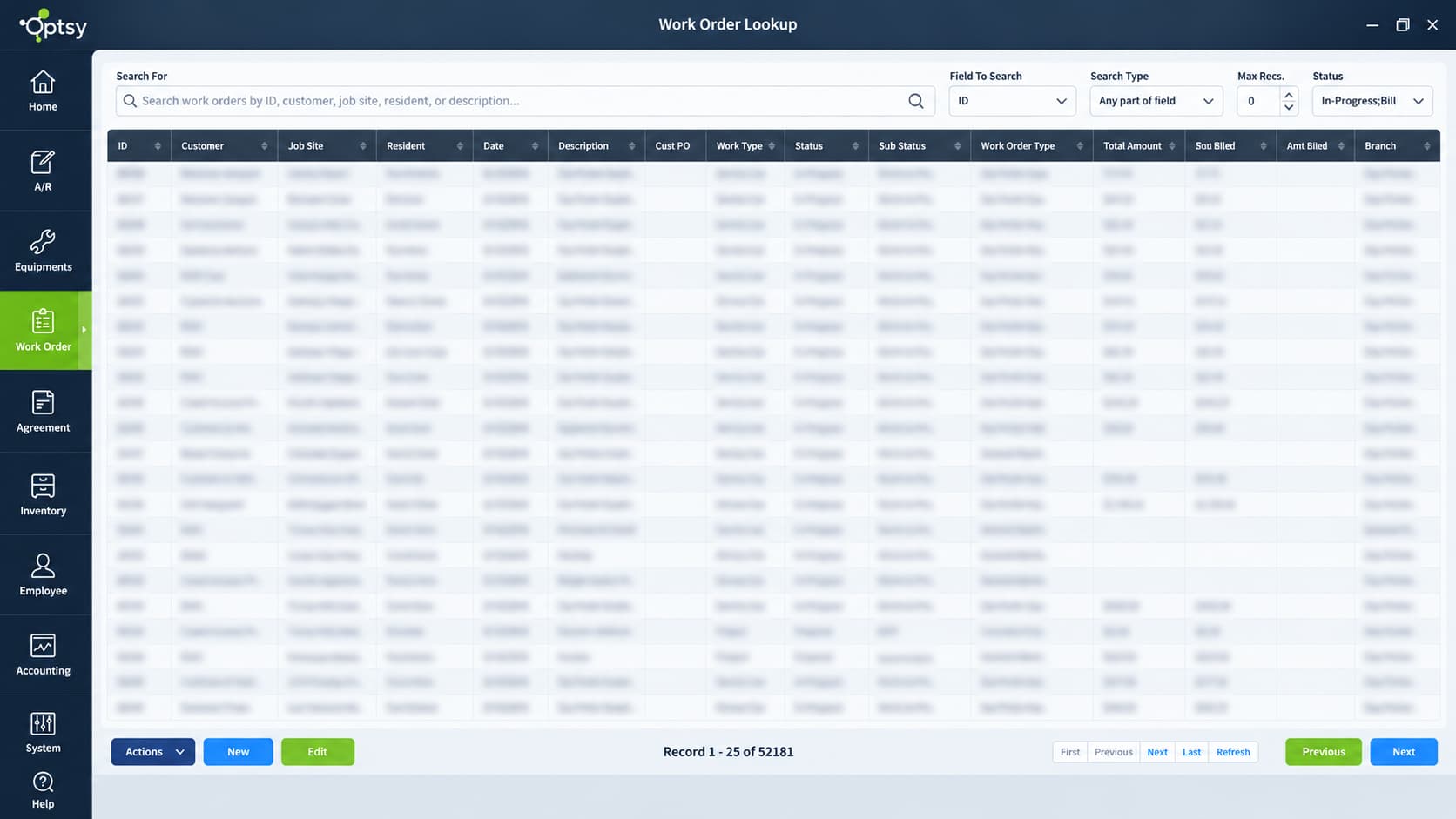


Work Order Management Built for Field Service
Get the Work Order Right and the Day Follows
A competent work order system will effect your day-to-day operations of your business. Get it right and everything moves quickly: your team completes jobs correctly the first time, and your customers stay satisfied. Get it wrong and the cost shows up as second visits, missed charges, and invoices that go out a week late.
Optsy’s work order management software takes the guesswork out of organizing your team’s schedule and invoicing their time. It integrates with the rest of your operation, syncing customer records, technician availability, and materials, so the job, the parts, and the billing all describe the same work. You save hours on admin, capture more of what you earned, and give customers the kind of experience that generates referrals. For many companies this is the first real job management software they have used, and the change shows up when they see how quickly invoices go out.
If you think your processes won’t integrate properly with management software, it will. Optsy is fully customizable, so niche workflows, specific reporting requirements, and unusual service protocols get built into how your work orders behave instead of being worked around.
What’s Included in Optsy’s Work Order Management Software
A work order has to carry everything the job needs and everything the invoice depends on. These are the pieces that make that happen.
All Job Types in One Database
From quick repairs and breakages to long-term service projects, every job is recorded centrally. Customer records update as the jobs progresses, and changes reflect in the related work orders without anyone re-entering them.
Integrated Estimates
Upload an estimate into the work order and the details populate automatically. You can email it to the customer directly from the system, and it stays attached to the job instead of sitting in someone’s sent folder.
SLAs, Warranties & Contract Agreements
Link work orders to service level agreements and warranty records so billing is accurate, service happens on time, and record-keeping is complete. Every job logs what was done, when, and why.
Mobile Work Orders
Technicians access work orders, update job statuses, capture customer signatures, and log notes from the field using the Optsy mobile app. That removes the delay between finishing a job and billing it. The signature settles later questions about what was authorized.
Customizable Workflows
Niche processes, specific reporting requirements, and unique service protocols get configured into how work orders behave, so your team isn’t adapting to a fixed template.
How Work Order Management Integrates With Other Solutions
The work order is the spine of the job. It draws on customer history, technician availability, parts, and contract terms, and everything downstream, from the invoice to the report, is built from what it records.
Scheduling & Dispatching
Work orders become assignments through scheduling and dispatching, matched to technician availability, skills, and location. The job details, customer history, and required parts travel with the assignment.
Mobile Field Service App
Technicians open, update, and complete work orders in the mobile app, capturing signatures and notes on site. The office sees a completed job within minutes instead of the next morning.
Inventory Management
Parts used on a job draw down stock through inventory management and get recorded against the work order. That link is why the invoice matches what left the shelf.
Equipment Tracking
Each work order ties to the specific asset serviced through equipment tracking, so a unit’s full service history reads as one continuous record.
Employee & Technician Management
Hours logged against work orders feed employee and technician management, keeping payroll accurate and showing how long jobs actually take against how long they were quoted.
Service Agreements
Work orders link to service agreements and warranty records, so covered work is billed according to the contract and never charged to a customer who was already entitled to it.
Task Management
The work order holds the job, while task management holds the steps inside it and the office work around it. Each task closes against the work order, so the record shows what was performed, not just that someone marked it finished.
CRM & Customer Records
Every work order updates the account in your field service CRM. The next person to take that customer’s call sees what was done, what it cost, and what was promised.
API Capability
For job data that needs to reach other systems, API capability connects work orders with the ERP, accounting, or customer portal platforms your business already runs.
Customization
Work order layouts, fields, and documents are built around your trade through customizable FSM software, so what the customer signs carries your information and your branding.
QuickBooks Integration
Completed work orders invoice and sync to QuickBooks, so billing goes out the same day and your books reflect the work without duplicate entry.
Reporting & Analytics
Closed work orders feed reporting software with completion times, repeat visit rates, and cost per job. Job profitability stops being an impression and becomes a number.
How Work Order Management Helps Your Industry
What a job record has to capture changes by trade. Refrigerant amounts, panel specs, material measurements, and compliance signatures all have to land somewhere, and a generic form loses them. Here is what work orders look like across the trades Optsy serves.
HVAC Software
Unit models, refrigerant amounts, and readings belong on the job record, not in a technician’s notebook. Work orders in Optsy’s HVAC software capture them alongside the labor, so the next person on that system sees what was found last time.
Plumbing Software
Ask any plumber what makes a return visit fast and the answer is knowing what was installed. Fixture details, parts used, and water heater specs go on the work order in Optsy’s plumbing software, which also makes the invoice harder to argue with.
Electrical Contractor Software
Inspection records, panel details, test results, permits. On a multi-phase project these pile up across months, and Optsy’s electrical contractor software keeps every one attached to the job it belongs to.
Refrigeration Software
Here the documentation is half the deliverable. Temperature logs, compliance checks, and component replacements are captured per unit on the work order, so Optsy’s refrigeration software leaves you audit-ready without anyone writing anything twice.
Roofing Field Service Software
Measurements and material types decide whether a job clears its estimate. Both live on the work order in Optsy’s roofing software, and so does the warranty term. Four years later, when the owner calls about a leak, the record is still there.
Alarm & Security Field Service Software
A service visit should never start with someone guessing what is on the wall. Optsy’s alarm and security software logs installed devices, panel information, and what was tested or replaced at each site.
Computer & IT Service Software
In-scope and out-of-scope work have to be separated before the invoice goes out. Optsy’s computer and IT service software ties each work order to the client site and the hardware involved, so the split is already made.
Handyman Software
Six unrelated jobs in a day means six distinct records. Flexible fields in Optsy’s handyman software let a drywall patch and a door rehang each carry what they need, whether the visit took an hour or a week.
Pool Service Software
Volume is where detail disappears on a route. Chemical readings and equipment condition get logged per stop in Optsy’s pool service software, so every visit is documented the same way no matter who drove it.
Landscaping Software
Crews work properties, not tickets. Services performed and materials used are recorded per property in Optsy’s landscaping software. That record is what a seasonal contract bills against.